
 LeasePoint Partner
Manual status messages, uncertain ownership, and poorly timed follow-up.
LeasePoint Partner
Keep your team informed from referral to follow-up.
Partner shows your team the transaction updates and follow-up tasks available to their role. Sensitive application and underwriting information stays private.
Partner is a role-based program view. It is not an underwriting portal, credit report, approval engine, or unrestricted applicant file.
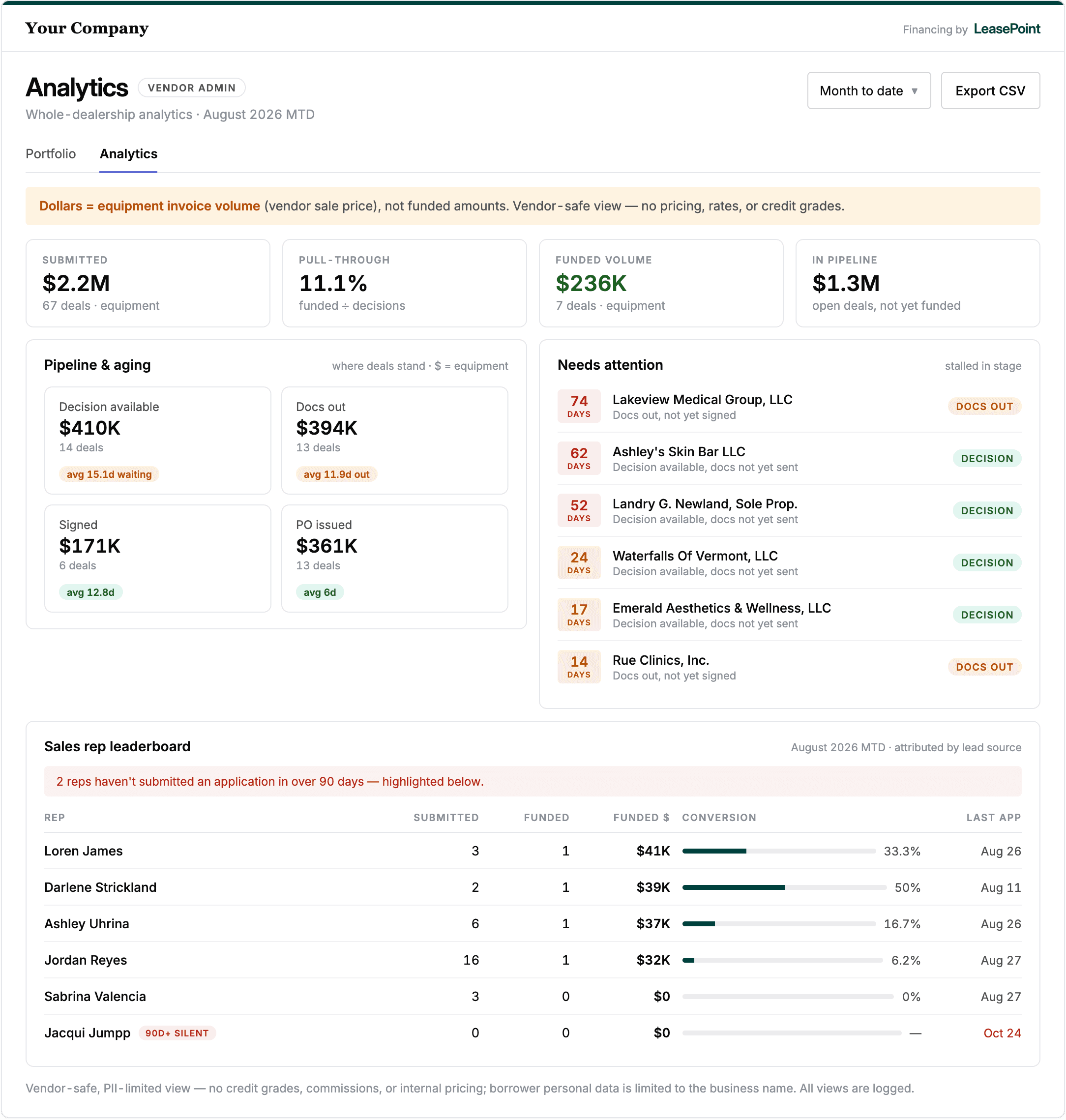
Product marketing rendering. Screen details and availability may vary by program and release.
After the introduction
The seller should not have to guess what happened next.
A responsible financing handoff should protect the buyer's information without leaving the vendor team in the dark. Partner returns the minimum useful context needed for the vendor's role.
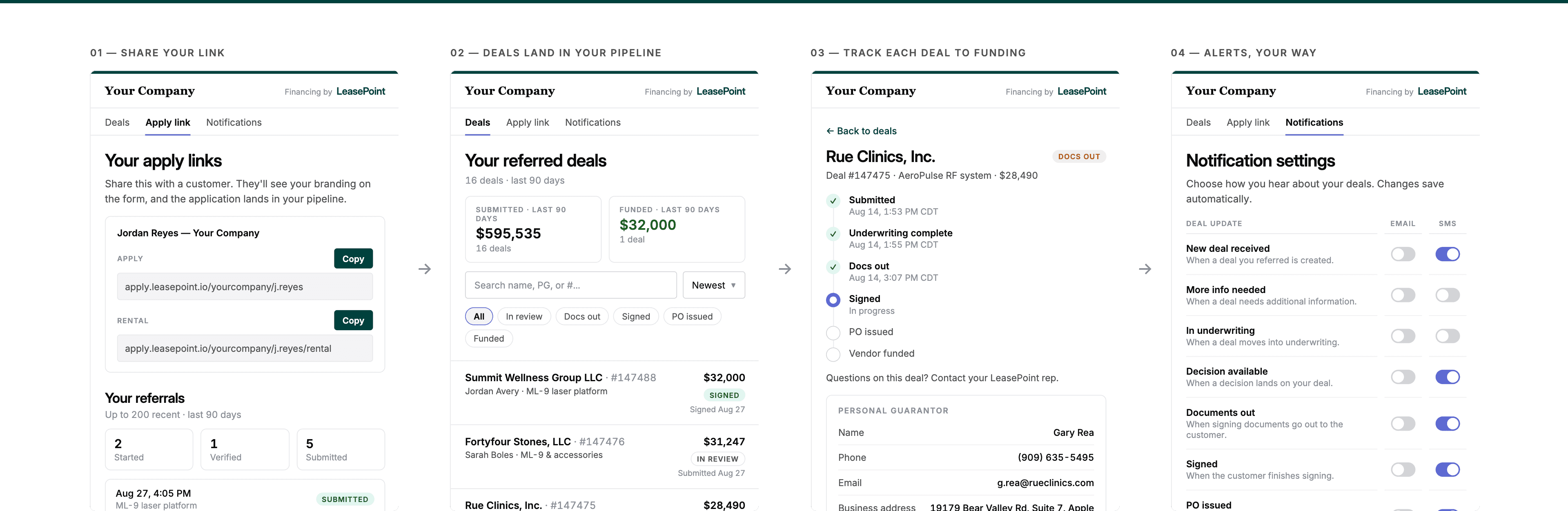
A permitted milestone, explicit owner, and responsible follow-up cue.
Minimum useful context
Four questions can replace a dozen status messages.
Was the handoff received?
Confirm that the referral, invitation, or buyer action reached the applicable workflow.
Where is it now?
Show the approved shared milestone without revealing internal review detail.
Who owns the next action?
Identify whether the buyer, LeasePoint, vendor, or another approved party owns the current task.
Should I follow up?
Provide a responsible cue such as no vendor action, a brief reminder, or coordinate the equipment item.
One shared language
Status should describe the coordination need, not reveal the decision process.
Received
The applicable referral, invitation, or application event has been received.
In review
LeasePoint or an authorized party is reviewing the transaction. No vendor action is indicated unless separately shown.
Action needed
A permitted task is waiting on a named owner, with the appropriate next action shown.
Completed
The applicable program milestone is complete. This does not automatically mean funded, delivered, or activated.
See the right view for the role
See what each member of your team can view.
Explore a representative program view using fictitious information and role-based boundaries.
Milestone and owner in context
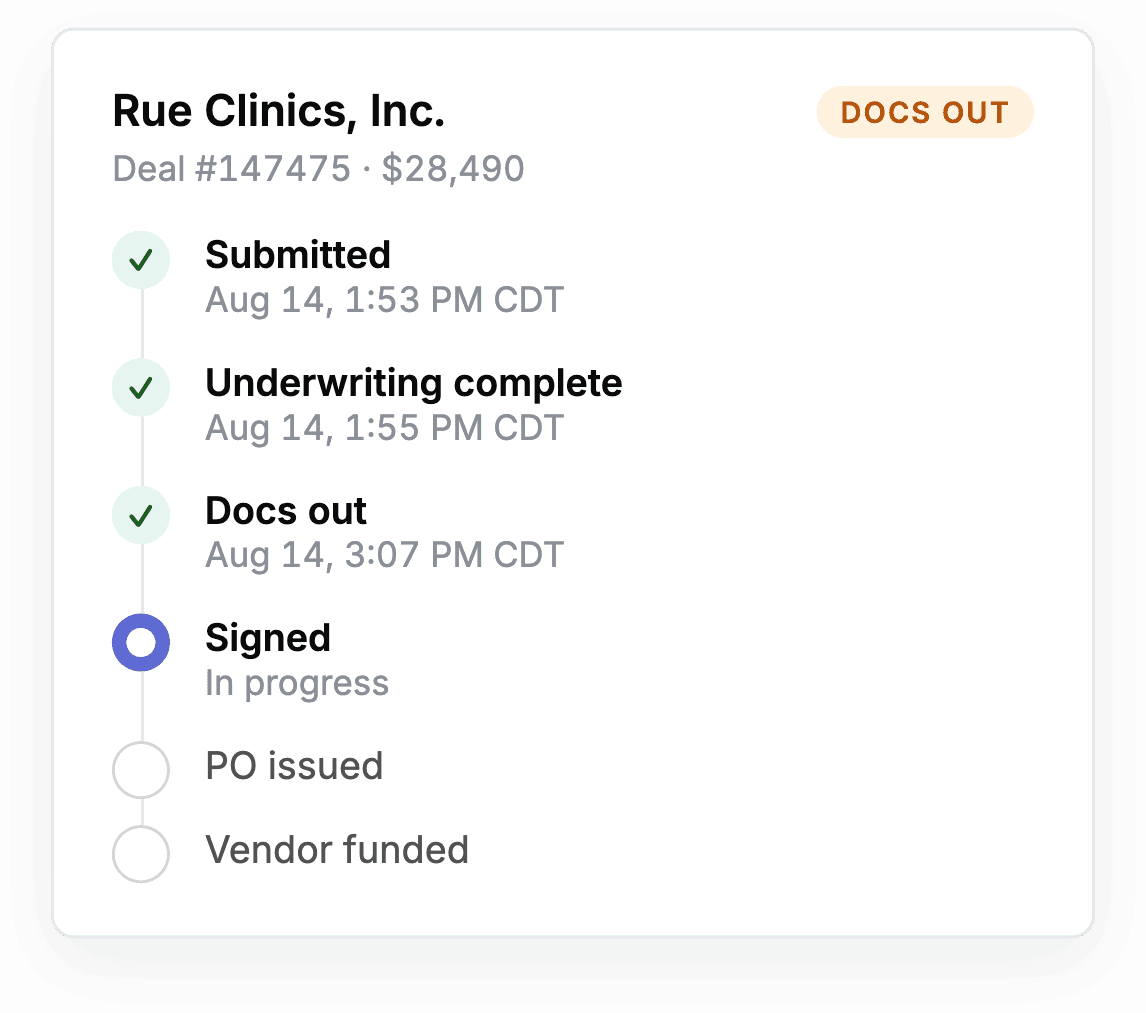
Product marketing renderings. Exact screens, inputs, permissions, and availability depend on the approved program and product release.
Useful without overexposure
Return the context the vendor needs. Keep everything else behind the boundary.
| Information | Partner treatment | Reason |
|---|---|---|
| Referral or invitation received | Permitted when included in the approved program | Confirms the handoff without exposing the application |
| Shared milestone and current owner | Permitted for the user's approved scope | Supports coordination and responsible follow-up |
| Vendor-owned equipment task | Permitted when the vendor owns the action | Keeps equipment work with the seller team |
| Consumer credit report or score | Restricted | Not required for the vendor's sales role |
| Applicant documents and banking details | Restricted | Remain inside approved secure systems |
| Internal underwriting notes or decision logic | Restricted | Remain with accountable finance teams |
Value for the team
Representatives coordinate the next conversation. Managers coordinate the program.
Representative
Coordinate assigned referrals, follow the permitted cue, and stay focused on the equipment conversation.
Manager
See aggregate activity across the approved team scope and identify vendor-owned actions.
Program owner
Review adoption, enablement needs, and workflow friction without entering the applicant file.
Compliance and security
Keep role visibility purpose-based, permission-aware, and separate from credit review.
Responsible follow-up
The best update tells the representative what to do, and what not to do.
Partner turns a shared milestone into a bounded follow-up cue so the seller can help without interpreting the financing decision.
No vendor action
LeasePoint or another approved party owns the current step.
Brief reminder may help
The buyer owns an action and a light process reminder is appropriate.
Coordinate equipment item
The vendor owns a quote, invoice, delivery, acceptance, or equipment detail.
Route the question
Funding Concierge should handle the process or transaction question.
Keep selling
Continue the equipment conversation without predicting the finance outcome.
Configured for the selling motion
Partner should reflect how your team actually sells and supports equipment.
The program determines which users participate, which milestones are shared, where notifications appear, and how Funding Concierge enters the workflow.
Role scope
Define representative, manager, program-owner, and support permissions.
Shared milestones
Choose the minimum useful status language for the vendor team.
Follow-up cues
Map approved actions and clear do-not-do guidance to each milestone.
Workflow connection
Verify CRM, notification, reporting, and identity requirements before rollout.
Operating review
Review adoption, friction, exceptions, and permission changes on an agreed cadence.
Connected by responsible handoffs
Partner closes the visibility gap after Signal and Apply create the handoff.

Signal
Guide the seller with approved context and one responsible next action.
Explore Signal
Apply
Give the buyer a clear, secure route to provide applicable information.
Explore ApplyPartner
Share relevant transaction updates and follow-up tasks.
Current page
Funding Concierge
Bring in a person when a question needs explanation, coordination, or judgment.
Explore Funding ConciergeEquipment finance focusBuilt around commercial equipment sales
Role-based viewsUseful context follows responsibility
Human supportFunding Concierge remains in the workflow
Program configuredAvailability follows the approved scope
Frequently asked questions
Understand Partner before you map the workflow.
What is LeasePoint Partner?
Partner is LeasePoint’s vendor portal. It helps approved users follow their referrals and see relevant updates and tasks while keeping sensitive buyer information private.
Is Partner an underwriting portal?
No. Partner does not ask vendor representatives to interpret credit or make a financing decision.
What can a vendor representative see?
Visibility depends on the approved program and role. It may include a milestone, owner, vendor-owned task, follow-up cue, and Funding Concierge path.
What is different in the manager view?
A manager may receive aggregate coordination across an approved team scope. That broader operational scope does not automatically include deeper applicant access.
Are updates shown in real time?
Data sources, update frequency, event availability, and notification timing depend on the approved implementation. No universal real-time promise applies.
Does Partner integrate with our CRM?
Integration options depend on the approved program and implementation scope. Data sources, permissions, event timing, and the final CRM experience must be verified before rollout.
Can Partner be co-branded?
Brand controls depend on the approved program and implementation. Any co-branded experience must preserve LeasePoint ownership, required disclosures, and the agreed role boundaries.
How does Partner protect applicant information?
Partner exposes only the minimum permitted context for the vendor user's role. Applicant files, consumer credit information, banking details, identity evidence, documents, and internal underwriting information stay in restricted systems.
Make the handoff visible
Map the right Partner view for every role on your team.
Build the milestones, ownership rules, follow-up cues, information boundaries, and Funding Concierge support around your approved LeasePoint program.